
TextNow: Call + Text Unlimited
TextNow, Inc.Communication
4.6401.77K Reviews
- Version
- 26.42.0.0
- Installs
- 100.00M
- Age Rating
- Everyone
Screenshots

Our Review of TextNow: Call + Text Unlimited
 Analysis by Appyee
My first few days with TextNow: Call + Text Unlimited made its appeal easy to understand: it gives me a separate number for everyday calls and messages without asking me to replace my main phone line. That distinction matters. I can use it for a temporary project, online listings, or conversations I’d rather keep apart from my personal number, then decide whether it deserves a permanent place on my home screen.
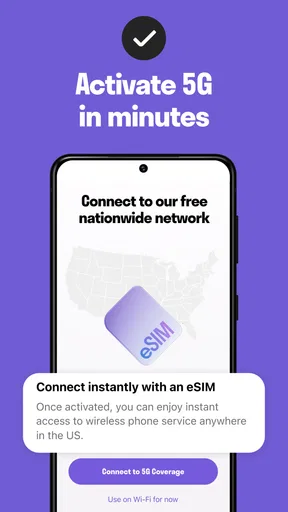
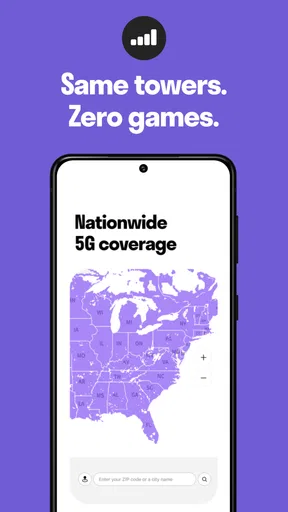
TextNow is a free communication app from TextNow, Inc., available on Android and iOS. Its US-and-Canada number, texting, and calling are the draw, while its broader promise also includes access to 5G data. The practical value depends on how you use it and what connectivity is available to you; I wouldn’t treat the app as a guaranteed substitute for every part of a conventional mobile plan.
Why the first week feels useful
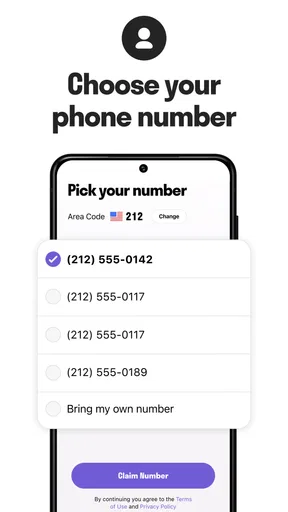
Getting started is straightforward: sign up, choose a number, and use the app to call or message. In the first week, the clearest win is separation. If I’m arranging a furniture pickup with someone from a marketplace, I can share the TextNow number rather than my everyday one. The same setup can help with a short-term volunteer role, a side project, or a contact list that I don’t want mixed into personal conversations.
It is also handy as a second line when I travel around places where I can use an internet connection, or when I need another way to reach people in the US or Canada. I’d still check that the app works for the specific situation before relying on it for an important call. A separate app number is convenient, but it isn’t automatically the right choice for every institution, verification process, or urgent communication.
What keeps its value month to month
The app’s lasting usefulness comes from having a clear routine for that second number. I might keep it for community groups, callbacks, or a small business contact channel, while leaving close friends and family on my regular line. Group chats and picture messages make that separation more practical than using a number only for occasional calls, and voicemail transcription can help me screen a message when listening isn’t convenient.
TextNow’s listing shows a 4.5 average from around 1.6 million ratings, and it has been installed over 100 million times. Those figures suggest it has broad appeal, but they don’t tell me whether it fits my own habits. I’d judge it by whether I remember to check the inbox and whether the people I need to reach can use the number smoothly. If I only open it once in a while, a second line can become one more inbox to maintain rather than a real convenience.
Keeping the second line manageable
A small setup choice can make the app easier to live with: give the number a specific purpose and tell the people who need it which line to use. I’d also set a voicemail greeting that explains when I check messages, then assign a distinct tone to important contacts if that helps me recognize them. These steps make the second line feel intentional instead of like a duplicate phone account.
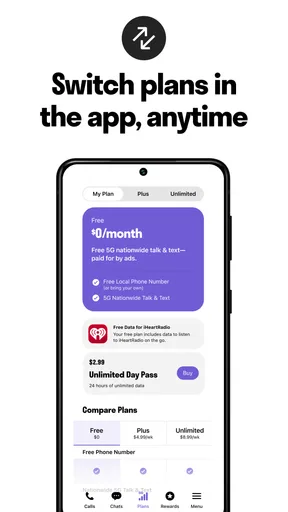
There is some upkeep. I need to remember that calls and messages arrive inside an app, keep its notifications useful, and check the right inbox before assuming nobody has replied. Ads are part of the free experience, while in-app purchases range from $0.29 to $99.99 per item. I’d review any purchase options before spending; the app is free to start, but not every optional extra is necessarily relevant to my use.
Where the trade-offs show up
Compared with a carrier’s regular number, TextNow is better suited to a flexible extra line than to being the one number I expect every contact to reach in every circumstance. Compared with messaging apps that connect people through existing accounts, it offers a phone number and calling workflow, which can be useful when someone expects a number rather than an app profile. The trade-off is that I have to manage another place for calls, texts, and notifications.
For someone who already has an inexpensive plan with plenty of calls and texts, the benefit may be small. For someone who wants a separate contact channel or needs to watch recurring phone costs, it may earn its space more easily. I’d skip it if I want a completely ad-free experience without considering purchases, or if I don’t want to depend on an app for a line people may treat as my main contact.
Performance and everyday friction
In my experience, calls are generally clear and texts usually arrive without a hitch, though an app-based line can feel less dependable when the connection or notification setup isn’t working well. A useful habit is to test the number with a trusted contact before sharing it widely, then check that replies and voicemail show up as expected. That quick trial can prevent an awkward missed callback later.
Voicemail transcription is useful when I’m in a meeting or somewhere quiet listening isn’t practical, but I’d still play the recording if a detail matters. A transcription is a shortcut, not a reason to assume every name, number, or instruction has been captured perfectly. Likewise, I’d use the separate number thoughtfully: it helps divide conversations, but it doesn’t remove the need to decide who should have access to it.
Does it earn a lasting place?
TextNow was released on September 1, 2012, and its current version is 25.50.1.0, with a minimum operating-system requirement of version 9. It is rated for Everyone, which makes it broadly accessible, though the best fit still depends on whether a second number suits the person using it. I see its strongest case in people who have a recurring reason to keep work, community, marketplace, or family communications separate.
The app’s first-week appeal is immediate, but lasting value comes from using that number consistently enough to justify another inbox. If I needed a second line and was comfortable checking an ad-supported app, I’d give it a try and test the routine before moving important contacts over. If I already have all the calling and messaging I need, I’d leave it off my phone. That’s the deciding question: does a separate number solve a recurring problem, or just add another place to look?
Getting Started with TextNow
First off, setting up TextNow: Call + Text Unlimited is a breeze. Just download the app, sign up, and boom—you’ve got yourself a new phone number in the U.S. or Canada. The app interface is super user-friendly, so even if tech isn’t your strong suit, you’ll be texting and calling in no time.
The Features You’ll Love
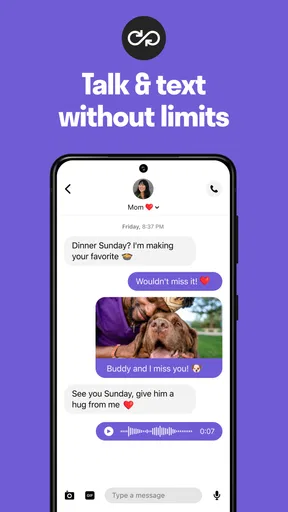
Let’s dive into what makes TextNow a must-have. The app offers unlimited texting and calling to any number in the U.S. and Canada. Yep, you heard that right—unlimited. Whether you're chatting up a storm or catching up with family, you won’t have to worry about any pesky limits.
Another cool feature is the voicemail transcription. Instead of listening to voicemails, you can read them. It’s perfect for when you’re in a meeting or just not in the mood to listen to a lengthy message. Plus, it supports picture messaging and group chats, so you’re covered on all fronts.
The Little Extras
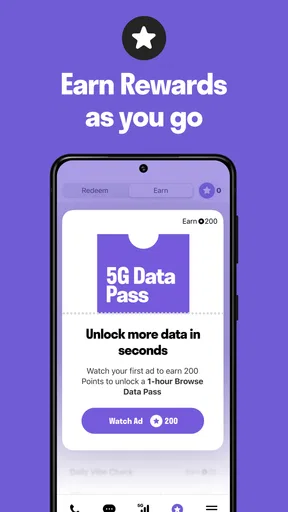
Beyond the basics, TextNow offers a few thoughtful extras. You can customize your voicemail greeting—fun, right? And if you’re someone who loves to personalize, you can set up different ringtones and text tones for your contacts. The app even lets you earn credits by watching ads or completing offers, giving you a chance to call international numbers.
Performance and Experience
In terms of performance, TextNow is pretty reliable. Calls are generally clear, and texts go through without a hitch. Sure, like any app, you might hit a snag here and there, but overall, it delivers on its promise. The app is available on both Android and iOS, so no one’s left out of the fun.
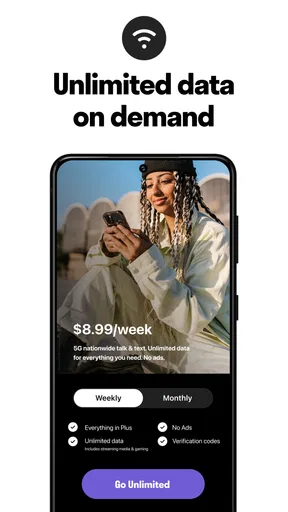
One thing to note is that while the app is ad-supported, the ads aren’t too intrusive. They’re there but not in a way that makes you want to rage quit. If ads really aren’t your thing, you can upgrade to the premium version to go ad-free.
So, if you need a reliable backup plan for calling and texting, or if you’re just looking to save some bucks, give TextNow a try. It’s like having a phone plan genie in your pocket, ready to grant your wish for limitless communication. Go ahead, give it a whirl, and stay connected without the hassle.
Privacy and Permissions
See what permissions an app requests and how it handles your data.
- Device & app history
- retrieve running apps
- Identity
- find accounts on the device
- Contacts
- find accounts on the device, read your contacts, modify your contacts
- Location
- approximate location (network-based), precise location (GPS and network-based)
- Phone
- directly call phone numbers, directly call any phone numbers, modify phone state, reroute outgoing calls, read call log, read phone status and identity, write call log
- Photos/Media/Files
- read the contents of your USB storage, modify or delete the contents of your USB storage
- Storage
- read the contents of your USB storage, modify or delete the contents of your USB storage
- Camera
- take pictures and videos
- Microphone
- record audio
- Wi-Fi connection information
- view Wi-Fi connections
- Device ID & call information
- read phone status and identity
- Other
- view network connections, create accounts and set passwords, read battery statistics, pair with Bluetooth devices, send sticky broadcast, change network connectivity, allow Wi-Fi Multicast reception, connect and disconnect from Wi-Fi, disable your screen lock, expand/collapse status bar, full network access, change your audio settings, read sync settings, run at startup, control vibration, prevent device from sleeping, modify system settings, toggle sync on and off, install shortcuts, uninstall shortcuts, Google Play license check, read Google service configuration
Verdict
Strengths of TextNow: Call + Text Unlimited
- Unlimited calls and texts enhance communication.
- User-friendly interface for easy navigation.
- Free to download with optional premium features.
- Supports multiple devices and platforms.
- Offers voicemail and call forwarding options.
Limitations of TextNow: Call + Text Unlimited
- Contains ads that can be distracting.
- Requires Wi-Fi or data for use.
- Limited international call availability.
- Some features locked behind paywall.
- Occasional call quality issues reported.
Other Releases by TextNow, Inc.
View All
2ndLine - Second Phone Number
Communication4.1
Similar Picks in This Category
View All
Google Messages
Google LLC4.6

Gmail
Google LLC4.1

Google Meet
Google LLC4.4

Google Chrome
Google LLC4.1

WhatsApp Messenger
WhatsApp LLC4.6

Carrier Services
Google LLC4.2
Frequently Asked Questions
What is TextNow and how does it work?
TextNow is a mobile application that allows users to make calls and send texts over Wi-Fi or data without needing a traditional cellular plan. By providing a free phone number, users can enjoy unlimited texting and calling within the U.S. and Canada. The app also offers affordable international calling rates.
Is TextNow truly free to use?
Yes, TextNow offers a free version supported by ads, which allows unlimited texting and calling to numbers in the U.S. and Canada. However, users can opt for a premium subscription to remove ads and gain additional features like voicemail transcription and call forwarding.
What are the main features of TextNow?
TextNow includes features such as unlimited calls and texts, voicemail, a customizable interface, and support for sending photos and emojis. It also offers affordable international call rates, and premium users can enjoy ad-free usage, call forwarding, and voicemail transcription.
Can I use TextNow without Wi-Fi?
TextNow primarily operates over Wi-Fi or mobile data. If you’re using the app on a device with cellular capabilities, you can make calls and send texts using mobile data, provided you have an active data plan. Without Wi-Fi or data, the app's functionality is limited.
Is TextNow available on both Android and iOS?
Yes, TextNow is available for both Android and iOS devices. Users can download the app from the Google Play Store or the Apple App Store. The app is designed to provide a seamless experience across both platforms, ensuring you can stay connected regardless of your device.
